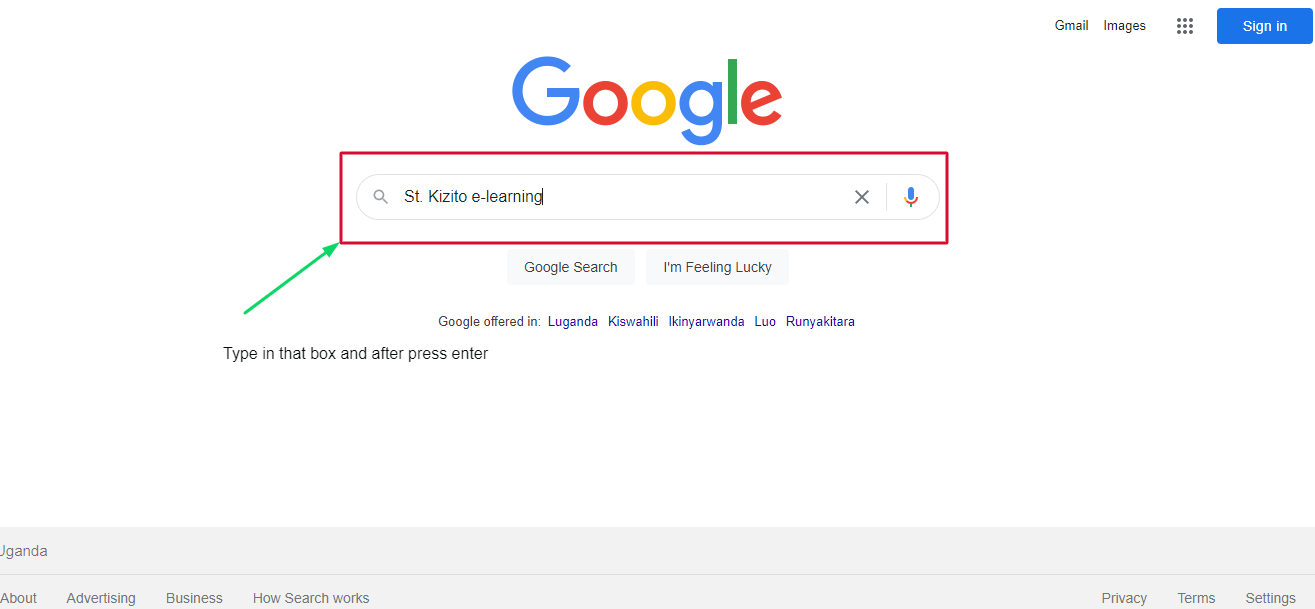
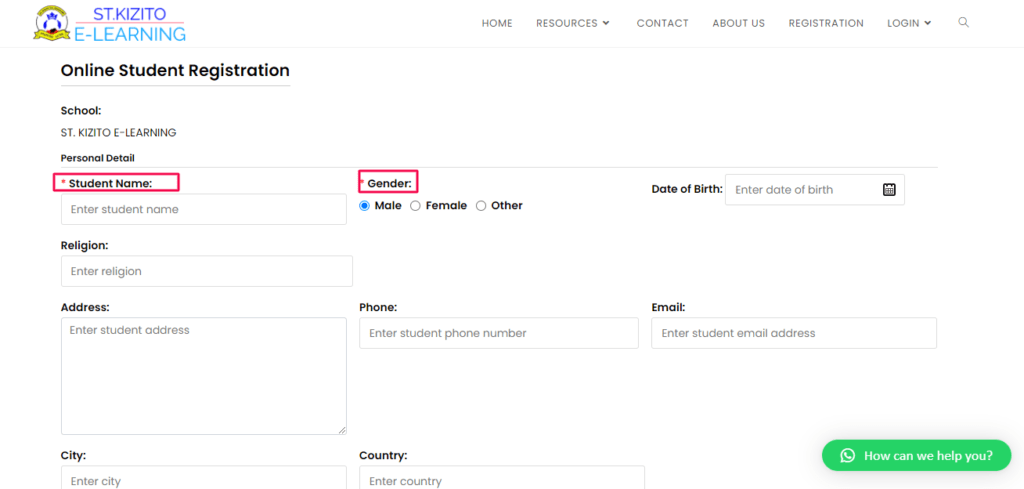
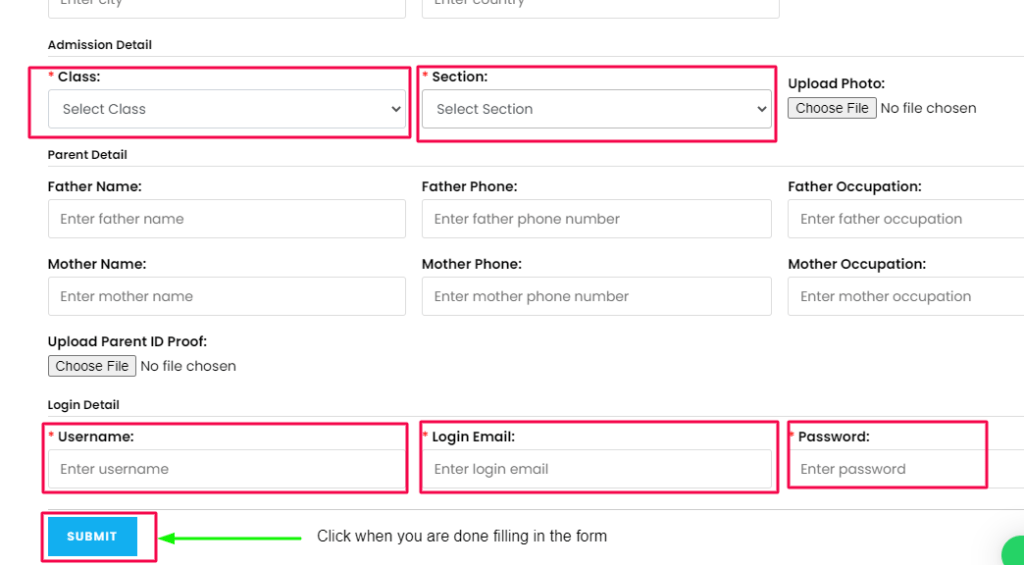
How Register as a Student Guidelines on how to register as a student On Pc or Laptop Open Google and type in: st. Kizito e-learning Click enter after typing Click on the one I have highlighted in red You will be directed to the home page of e-learning platform Click on the Register button that is highlighted You will be taken to a page with a registration form. Fill in the form carefully with name and gender. Select the first and the section. Enter the username, Login email, and password that you will be using to login in the website. This username cannot be changed after submitting. The username can be any name or the same as the one you enter as Student Name.The password should be at least 4 charactersIf you don’t have an existing email, first create one from Google Gmail. Click on SUBMIT button when you are done! Learn How tor register on Phone or Tablet Click here to watch a video



 ST. KIZITO E-LEARNING